What you need
- A 64-bit Linux PC with a working Vulkan driver.
python3, which gogdl (the GOG download tool) runs on. Check withpython3 --version, and install it with your package manager if the command is missing.- A GOG account, to log in. Adding games by hand needs none.
- Free disk space. Games install to
~/Games/Heronite.
Install Heronite
Get the AppImage from the download page:
chmod +x Heronite-x86_64.AppImage
./Heronite-x86_64.AppImage
Other formats are in the installation guide. On Steam Deck, follow the Steam Deck guide.
Log in to GOG
- Open Stores (Ctrl 4).
- Choose GOG.
- Press Log in.
- Log in on GOG’s page in the window that opens.
All your GOG games then appear in your library. If the login window does not open, use Or log in with your browser on the same page and paste the code it gives you. For GOG, the code is the address you land on, which contains code= (store logins).
Install and play a GOG game
Look at the On Linux row in the game’s details first for the ProtonDB rating.
- Find the game in your library and press Enter, or choose Install with GOG.
- Check the folder under Select install path. For a Windows game, the Wine version is under Show Wine settings; the default is a good start.
- Press Install. Follow the download on the Downloads page (Ctrl 2).
- When it finishes, select the game and press Enter to play.
When GOG lists a native Linux version, Heronite can offer it in place of the Windows build, with no Wine.
Change the Proton version
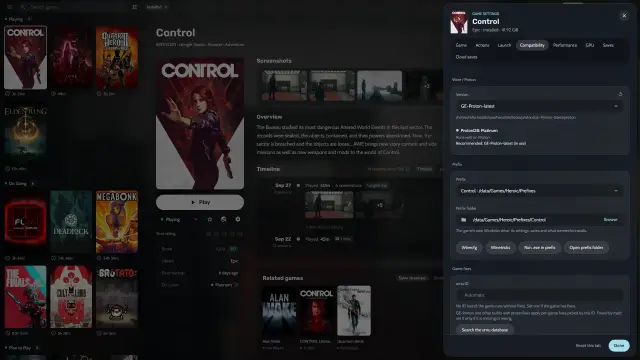
If a Windows game misbehaves, open Game settings → Compatibility and choose another build in Version. The GE-Proton guide shows how to get more builds.
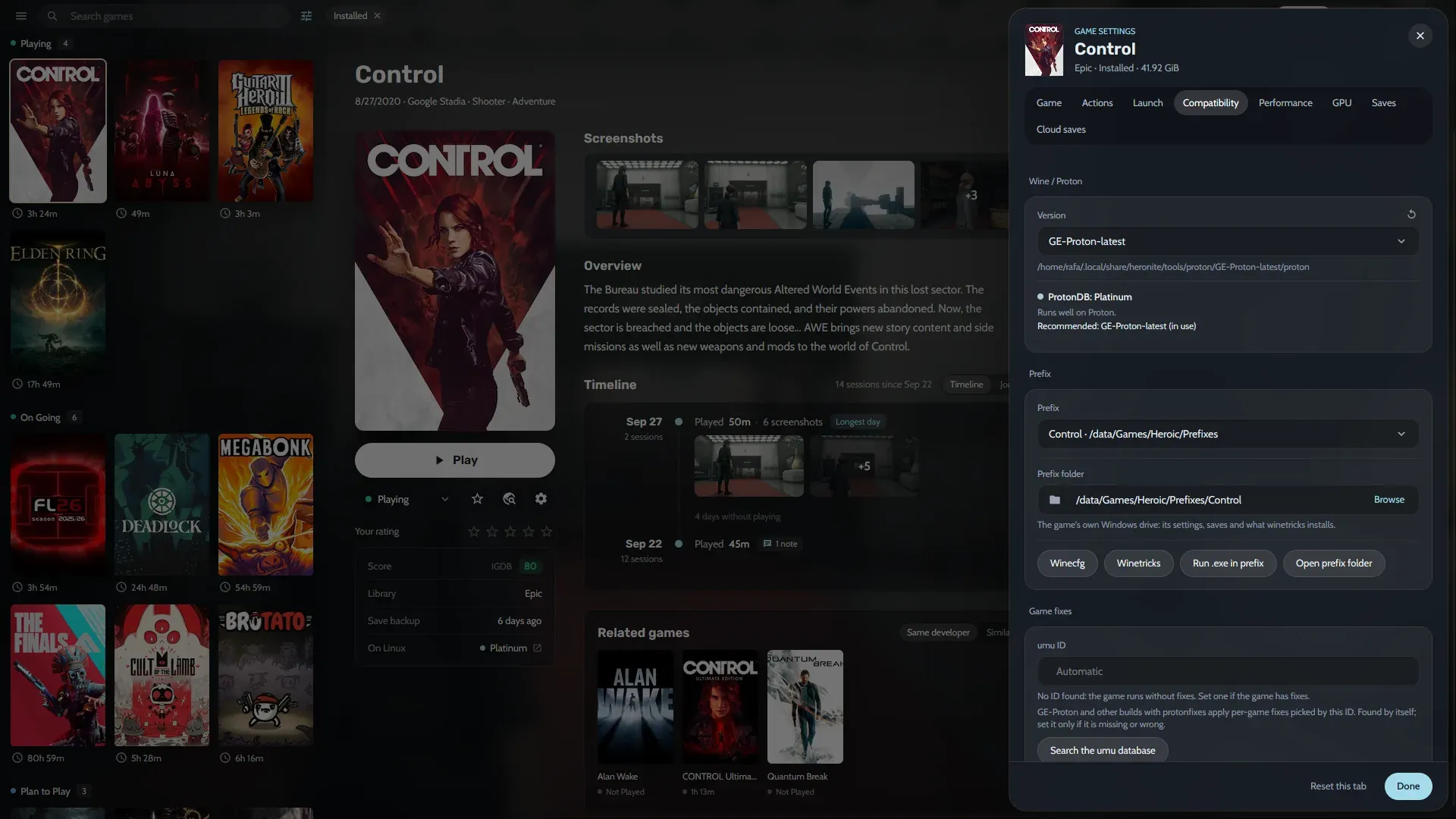
Each Windows game has its own Wine prefix (a separate Windows folder for that game) in ~/Games/Heronite/Prefixes.
Add DRM-free GOG games by hand
- Download the offline installer from your GOG account on the website.
- Run the installer. For a Windows installer, press Run .exe in prefix in Game settings → Compatibility, or run it through Wine yourself.
- Press Ctrl N and add the installed game: a Windows program (
.exe), a native Linux program or a start script.
To add many games at once, choose Add from folder in the ☰ menu. Heronite fetches art and details for these games, but they are not tied to your GOG account, so they do not update.
If a GOG game is already on this PC, press Import game under Import an installed game on the GOG page instead of downloading it again.
Update, repair or move a GOG game
- Update: Heronite checks for updates every 3 hours. Update all on the GOG page installs several at once.
- Repair or move: choose Verify and repair or Move install in the game’s actions.
One download queue runs these jobs and uninstalls. It pauses when you are offline and retries failed downloads.
Installed games stay on disk if you log out of GOG. Heronite keeps your login in its data folder, so keep that folder private (Files and folders).
A GOG game won’t start on Linux
Open Settings → Logs and read the game’s launch log. Heronite shows a fix when it knows one. The common Wine fixes are in Troubleshooting, and the per-game options in Wine and Proton.