What you need
- A 64-bit Linux PC with a working Vulkan driver, plus the 32-bit Vulkan driver for older games.
- An account for each store app you want to use.
- An internet connection. Heronite downloads a Proton if you have none, then the store app’s installer.
- Free disk space for each store app and its games.
Install Heronite
Download the AppImage from the download page:
chmod +x Heronite-x86_64.AppImage
./Heronite-x86_64.AppImage
Other formats are in the installation guide. On Steam Deck, follow the Steam Deck guide.
Set up the EA app, Ubisoft Connect or Rockstar Games Launcher
The steps are the same for all three.
- Press Ctrl 4 to open Stores.
- In the list on the left, under Store apps, choose EA app, Ubisoft Connect or Rockstar Games Launcher.
- Press Set up followed by its name, such as Set up EA app.
- Wait until the page says Ready.
Heronite finds or downloads a Proton, then the official installer. It creates a Wine prefix (a separate Windows folder for that app) and installs the store app there:
| Store app | Wine prefix |
|---|---|
| EA app | ~/Games/Heronite/Prefixes/EA app |
| Ubisoft Connect | ~/Games/Heronite/Prefixes/Ubisoft Connect |
| Rockstar Games Launcher | ~/Games/Heronite/Prefixes/Rockstar Games Launcher |
If you already run one of these store apps in a Wine prefix, press Use an existing install instead of step 3 and select that prefix.
Log in, install and play games
- Press Open followed by its name, such as Open Ubisoft Connect.
- Log in in the store app’s window. Heronite never sees your password, and its page then shows Signed in.
- Install a game in the store app, as you would on Windows.
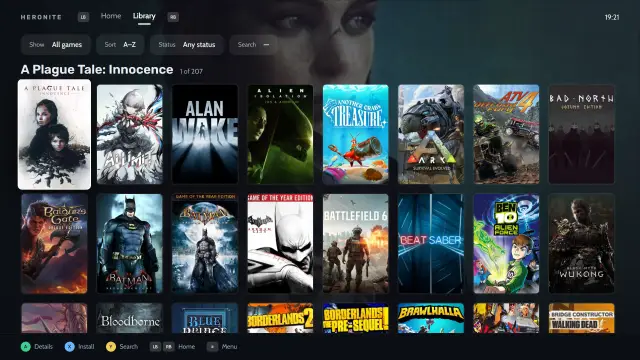
- Press Enter on the game in your Heronite library to start it.
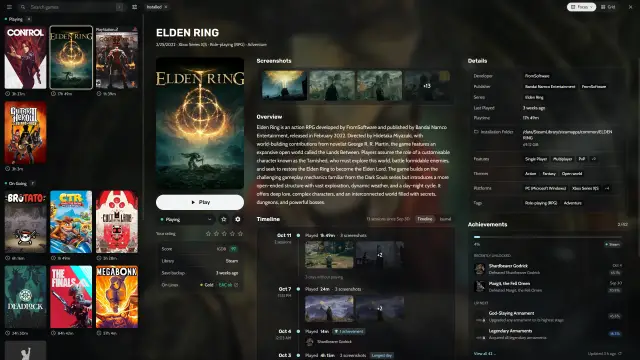
Before you install a big game, look at the On Linux row in its details for the ProtonDB rating and anti-cheat status. Gold and Platinum are the safest. If unsure, install a small game first to test your setup.
If an installed game is missing from your library, press Refresh under Installed games on the store app’s page. A game you have not installed shows Install with the EA app, Install with Ubisoft Connect or Install with the Rockstar Games Launcher, which opens the store app.
Which games does anti-cheat block?
Single-player games and older multiplayer games without kernel anti-cheat are the most likely to run. For the rest, anti-cheat is the real limit:
- EA app. Battlefield 6, Battlefield 2042, Apex Legends and EA SPORTS FC use anti-cheats that block Linux.
- Ubisoft Connect. Rainbow Six Siege blocks Linux.
- Rockstar Games Launcher. BattlEye blocks GTA Online and Red Dead Online on Linux. The story modes work.
A game whose developer does not allow Linux will not run. Statuses change, so check Are We Anti-Cheat Yet? and the docs on anti-cheat.
Change the Proton version for a store app
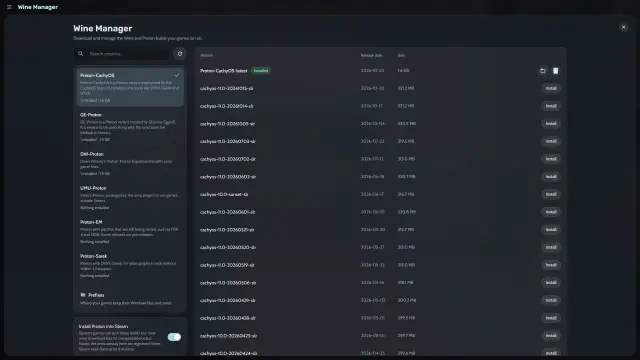
Open Wine settings on the store app’s page and choose another build in Version on the Compatibility tab. Until you change it, Heronite uses your default Proton. GE-Proton and Proton-CachyOS are the usual ones to try.
To open the prefix, press Open folder next to Wine prefix on the same page. To stop a store app and everything in its prefix, close any running game, then press Close followed by the store app’s name.
Remove a store app
Press Remove from Heronite on its page. The Wine prefix and its games stay on disk, so you can add it back later with Use an existing install. Delete the prefix folder to free the space.
A store app won’t log in or a game closes on start
- Set up fails. Check your connection and try again. Logs are in Settings → Logs.
- The store app will not log in, or crashes. Try another build in Wine settings, or a fresh prefix.
- A game closes on start. Read its launch log in Settings → Logs, and check ProtonDB.
For missing DLLs, Vulkan errors and other Wine fixes, see Troubleshooting.