How do I turn on console mode?
- Open it from the command palette (Ctrl K) or the ☰ menu.
- Start Heronite with the
--consoleoption, for example in a Steam shortcut or a gaming session. - In Settings → Console mode, choose off, ask or on to open it at startup or when a controller connects.
What do the controller buttons do?
The hints at the bottom of each page match your controller, with Xbox, PlayStation, Nintendo or Steam Deck button pictures. For the Nintendo layout, swap A and B in the theme’s controls.
| Controller | Action |
|---|---|
| A (south) | Confirm |
| B (east) | Back |
| X, Y | Actions shown on screen |
| LB / RB | Switch tabs |
| D-pad, left stick | Move |
| Right stick | Scroll |
| Start or Guide | Menu |
With no gamepad, the keyboard acts as one:
| Key | Acts as |
|---|---|
| Arrows | Move |
| Enter or Space | A |
| Esc or Backspace | B |
| X, Y | X, Y |
| Q / E | LB / RB |
| PgUp / PgDn | Scroll |
| M or F1 | Start (menu) |
| Tab | Select |
How do I browse and play games from the sofa?
The first tab is usually Home. It shows the game you will continue over its art, with shelves like Continue playing and Favourites. Press A for its page, X to play and Y to search.
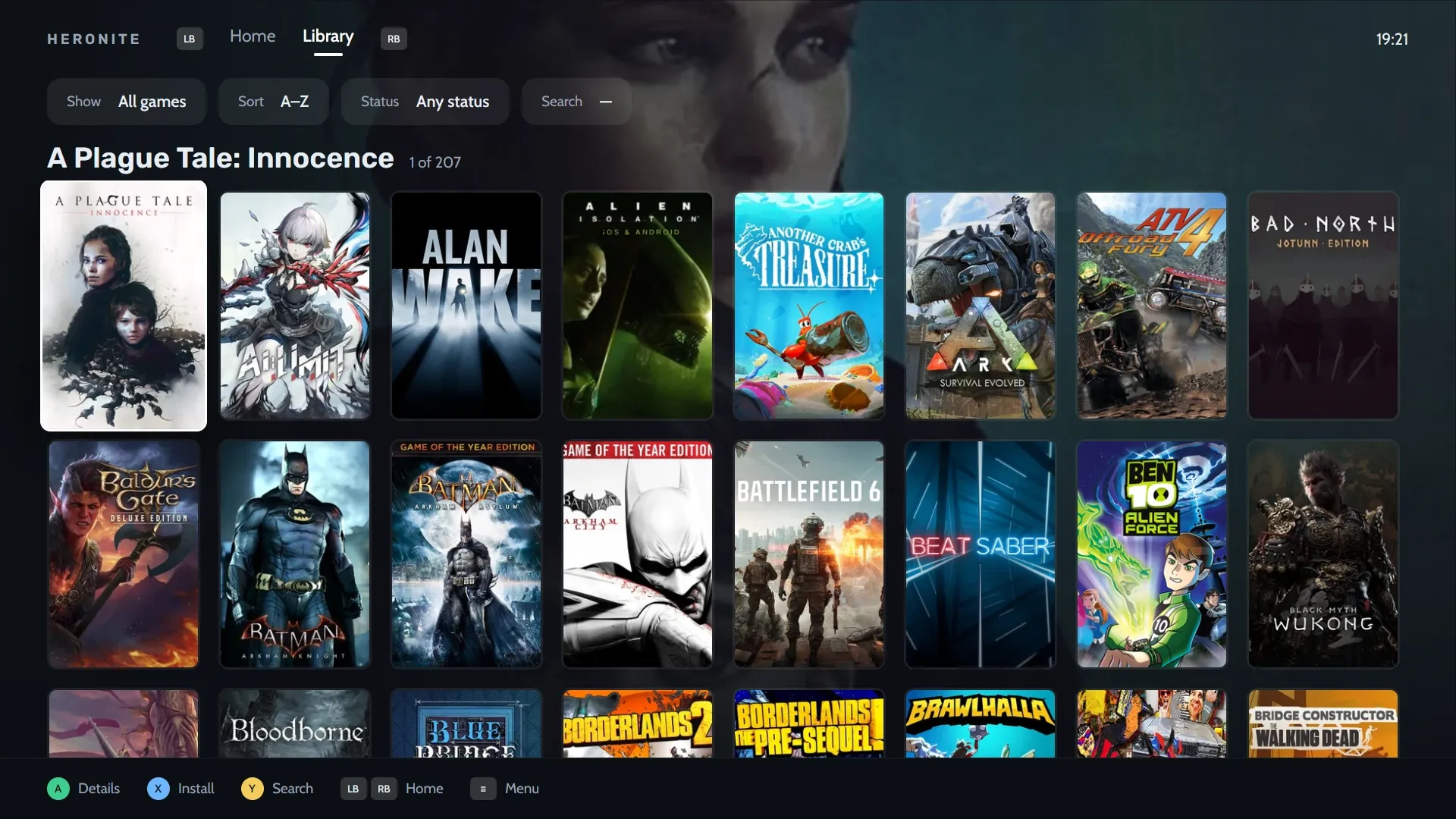
The Library tab lists your whole Collection as covers.
A game’s page has these rows:
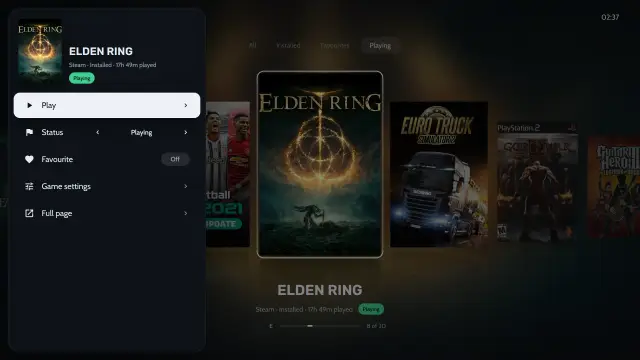
- Play, Status, Favourite, Game settings and Playtime
- Back up saves, with Ludusavi installed
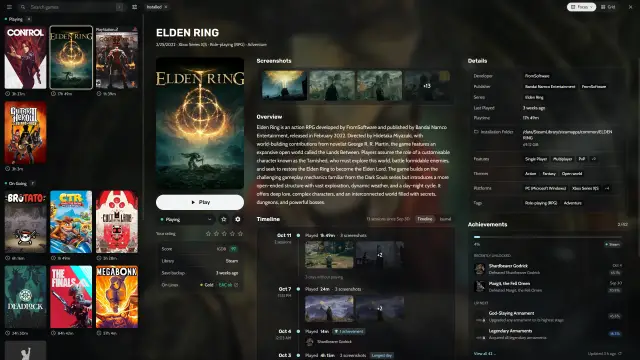
Details such as score, developer and last played sit to the right.
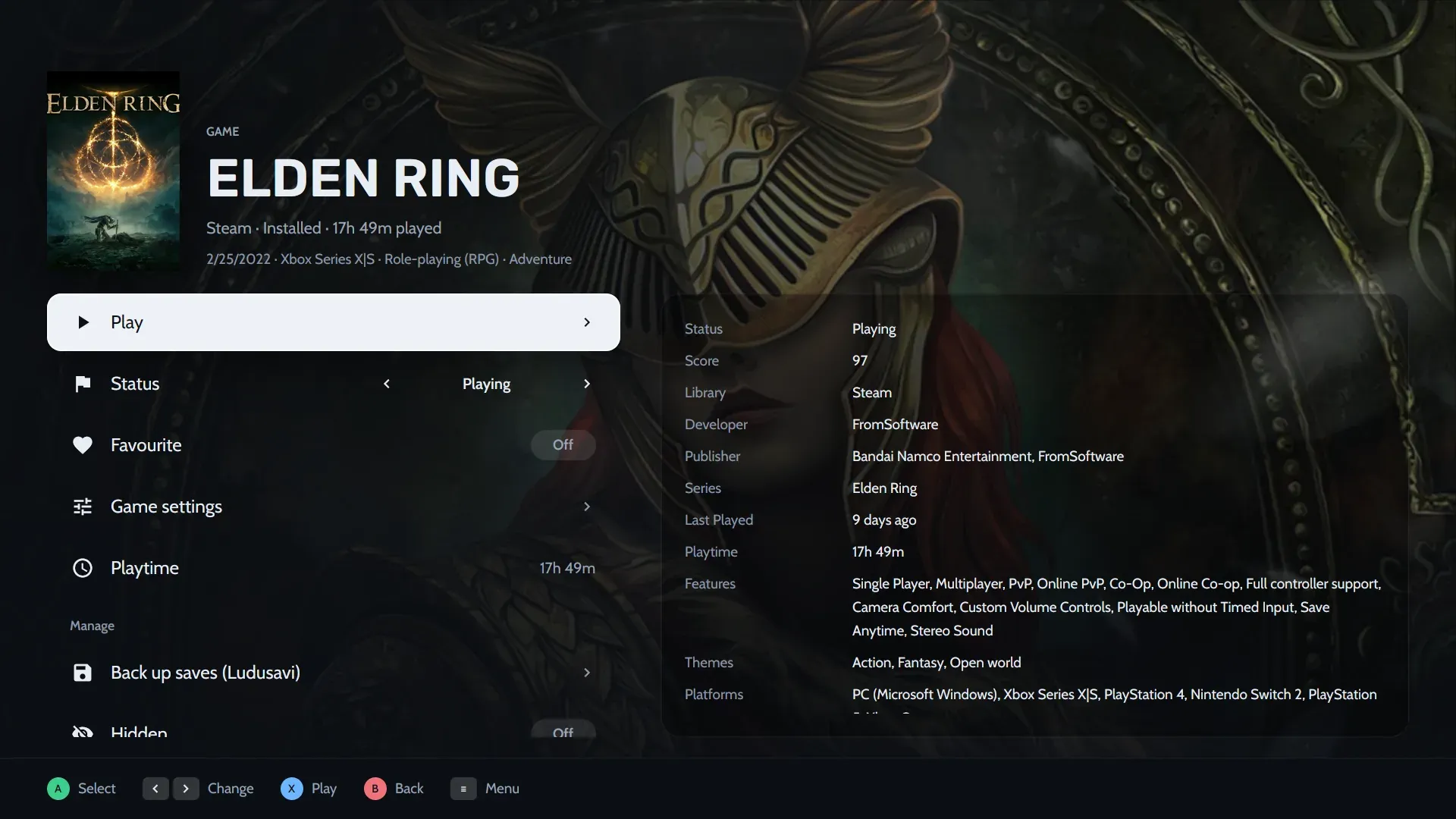
ELDEN RING’s game page in console mode.
Which layouts and tabs does console mode have?
Console mode has up to four tabs, each with its own layout and its own games. The layouts are:
- Shelves
- Spotlight
- Cinema
- Dashboard
- Grid
- Wheel
- Carousel
- Series X
A tab shows all games, only installed ones or only favourites, or filters by one status, store or platform.
How do I change the look of console mode?
Choose one of seven themes (Minimal, Classic, Cinema, Pulse, Arcade, Hub, Living room). Then change any of these live or in Settings → Console mode:
- Covers, tile shape and size
- Background: the game’s art, a blurred cover, screenshots or a picture of your own
- Accent colour, fonts, interface size and the clock
- Button pictures
- The menu (sidebar, grid, dock or rail) and the game pages
How do I share a theme?
Export your theme to a .heronite-theme.json file and import it on any PC. A background picture goes inside the file. Post yours in Discussions. The theme format lists every field; all are optional.
Can I type without a keyboard?
Yes. Console mode has an on-screen keyboard and a Power menu. The Menu button opens the main menu from any page.
How do I start console mode from Steam Deck Gaming Mode?
- In Desktop Mode, download
Heronite-x86_64.AppImageand make it executable. - In Steam, choose Add a Game, then Add a Non-Steam Game, and select the AppImage.
- In Heronite’s Properties, type
--consolein Launch Options. - Return to Gaming Mode and start Heronite from your library.
The Steam Deck guide has every step in detail.
How do I use the in-game overlay and Replay (beta, Linux)?
Turn the overlay on in Settings → Overlay. The Guide button then opens a panel over the game. It sets volume, microphone and FPS limit, and takes screenshots and journal notes.
| Buttons | Action |
|---|---|
| Guide | Open or close the panel (Super G on the keyboard) |
| Guide + RB | Screenshot |
| Guide + ↑ / ↓ | Volume |
| Guide + Y | Mark a moment |
| Guide + X | Save the replay |
Replay is off by default; turn it on in Settings → Replay. It keeps the last seconds of play, recorded on the GPU by gpu-screen-recorder.
The overlay needs a Wayland session whose compositor supports layer-shell, such as KDE Plasma, Hyprland or Sway. It does not work on GNOME or X11.
Next: Console mode docs.