Heronite vs Heroic: feature comparison
| Heronite | Heroic | |
|---|---|---|
| Platforms | Linux and Windows 10/11 | Linux, Windows 10/11, macOS 14 or newer |
| Built with | Rust, GPU-rendered, no bundled browser | Electron, TypeScript and React |
| Memory when idle | About 190 MB | — |
| Epic, GOG, Amazon | Yes | Yes |
| Steam library | Yes, no login needed | — |
| Battle.net, EA app, Ubisoft Connect, Rockstar | Yes, through Wine on Linux | — |
| Microsoft Store and PC Game Pass | Yes, on Windows | — |
| Emulation | Yes | — |
| Play time | Statistics, journal, year in review | Time played on each game page |
| Console mode | Yes, with themes | Yes |
| Cloud saves | Epic and GOG, in beta | Yes |
| Save backups | Ludusavi, after each session | — |
| Same library on several PCs | Yes, through a folder or cloud account | — |
| Import from the other launcher | Yes, on Linux | Not applicable |
The Heroic column comes from its README, website and release notes, current as of November 2026. — = not in Heroic’s README, site or release notes.
What do Heronite and Heroic share?
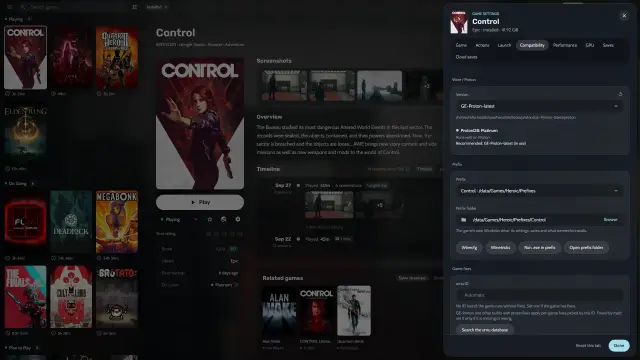
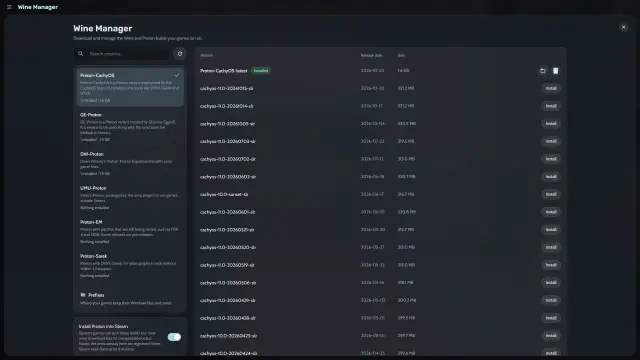
Both are GPL-3.0 and use the same open source store tools: legendary for Epic Games, gogdl for GOG and nile for Amazon Games. Both run Windows games on Linux through Wine or Proton, with a Wine Manager. Both have a download queue, SteamGridDB cover art and a place for non-store games.
Which one should you choose?
Choose Heroic if…
- You use macOS. Heroic runs on macOS 14 or newer, with Windows games through Crossover.
- You want store extras. Heroic has deals screens, GOG achievements on the game page and experimental ZOOM Platform support on Linux.
- You want a proven Wine and Steam Deck setup. Heroic’s site highlights automatic Wine settings and Steam Deck support.
- You need another language. Heroic is translated into almost 40 languages; Heronite into English, Portuguese (Brazil), Spanish and German.
- You want frequent releases. Heroic releases often, which helps when a store changes something.
Choose Heronite if…
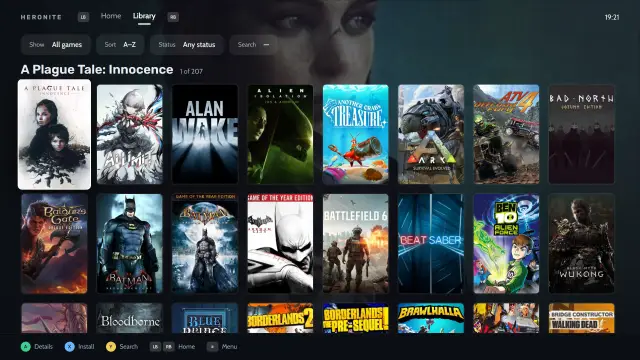
- You want every source in one library. Steam with no login, emulators, store apps and, on Windows, Microsoft Store games, grouped by status, store or genre (stores).
- You want a native Rust app. No bundled browser, and about 190 MB of memory when idle (performance).
- You want a deeper play history. Heronite records every session for statistics, a yearly backlog goal, a journal and a year in review.
- You want console mode you can restyle. Console mode has eight layouts and seven themes you can edit and share as a file.
- You play on several PCs. Settings → Cloud keeps one library on each, such as both systems of a dual boot (saves and backups).
How do I switch from Heroic to Heronite?
On Linux, Heronite imports your Heroic setup. It only reads Heroic’s files, so Heroic keeps working and you can use both.
- Start Heronite. If
~/.config/heroicexists, Heronite copies its data once: your store logins, settings, and the games you added by hand with their settings. - Turn on the Heroic import. In Settings → Other launchers, turn on Bring its games in under Heroic. Heronite then keeps your added and installed games in sync with Heroic’s normal install or its Flatpak.
- Find your installed store games. The import also adds Heroic’s records of the Epic, GOG and Amazon games it installed. They show as installed, in the same folders.
Heronite skips the Steam games Heroic lists and brings them in through its Steam import, so nothing shows twice.
If covers do not load, paste the SteamGridDB key again in Settings → Metadata → SteamGridDB API key. Heroic may have encrypted the key Heronite imported.
Next: Download Heronite, then read Stores and launchers.